I still remember my first time playing Flip Physics. My character flew up, spun exactly half a turn, and face-planted into the ground. I burst out laughing, hit retry, and kept going all evening. The game runs right in your browser with nothing to download, so it’s very easy to lose track of time.
How One of My Runs Unfolds
Every flip passes through four clear beats:
- Hold the left mouse button to swing and build momentum on the bar.
- Release to launch into the air.
- Hold the button again to tuck and flip.
- Release a second time to prepare for landing.
It sounds simple, but a tiny slip at step two changes the whole flip.
Body Position Decides Everything
Tuck to Spin, Open Up to Stop
Tucking (K or ↓) makes you rotate faster. When I want to slow down, I switch to Layout (L or →) and stretch out. Arch (J or ↑) works well for extending the swing before release, and Pike (I or ←) helps me adjust my shape mid-air.
Twists and Landings
Q and W let you twist left or right. As I near the ground, I use S to hold my posture or U to squat and absorb the impact. Space is the release key if you’d rather let go with the keyboard.
| Key | What It Does | When I Use It |
|---|
| Space | Let go of the bar | Once the swing amplitude is big enough |
| K / ↓ | Tuck | When I need to spin faster |
| L / → | Layout | When I need to slow down and prep the landing |
| Q / W | Twist left / right | To add a twist |
| S / U | Stick / Squat | On touchdown |
| O | Flash | To strike a showcase pose |
| H | Hide controls | When recording my screen |
You can remap keys in Key Bindings if the defaults don’t feel comfortable.
The Mistakes That Kept Knocking Me Down
- Releasing too early, before the swing has enough momentum, so the flight is weak.
- Holding the tuck too long, over-rotating, and landing on my back.
- Forgetting to open up before touching the ground.
- Getting greedy and adding a twist before a basic flip is stable.
My fix is simple: practice one kind of flip until I can repeat it three times in a row, then add twists.
Regrab and Chaining Combos
After your flight, you can return to the bar and catch it to extend the sequence. This is where I fail most, because I spin too fast and drift far from the bar. My trick is to open up during the second half of the flight so I can see where the bar is before adjusting. The game also offers artistic poses and lets you record your performance, which is great for showing off to friends.
FAQs
Does Flip Physics Need to Be Installed?
No, you play directly on the web.
When Should I Release the Bar?
I usually let go once the swing has climbed high, because releasing early almost always gives a weak flight.
How Do I Catch the Bar More Easily?
Slow your spin with Layout and check the bar’s position before opening up.
Can I Hide the Control Panel?
Switching Things Up When the Bar Gets Stale
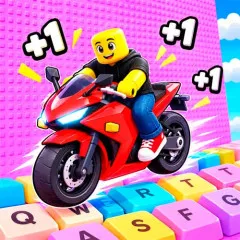
Once I’m comfortable controlling every movement, I like to switch to another game that also tests your reflexes, just in a different way: Obby but You’re on a Bike. There you ride through obstacle courses, timing your pedaling while planning each jump. If you enjoy the “fall, then try again” kind of challenge, the two games complement each other well.